-829x301.png "The Power Cart")


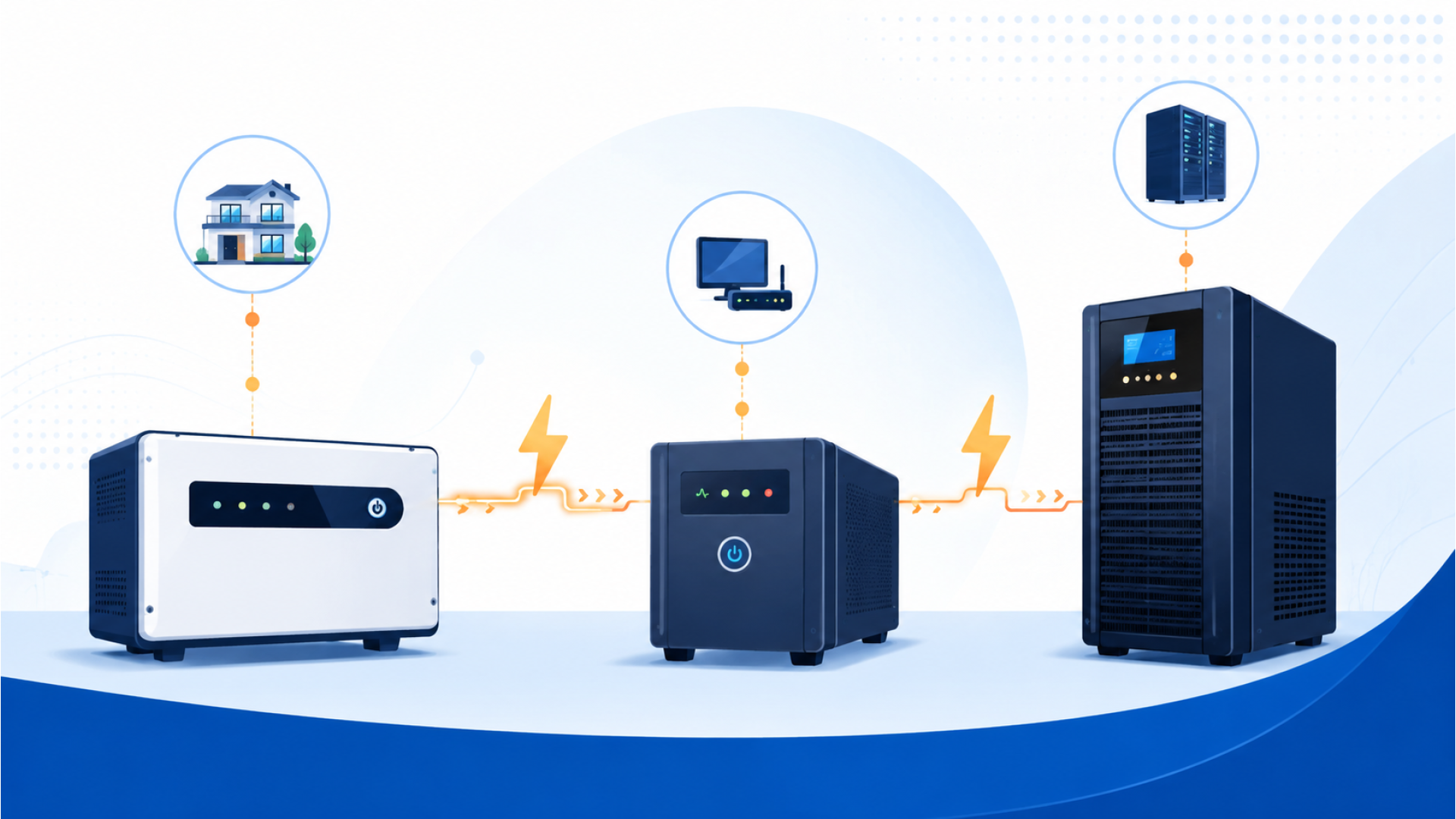
Walk into most electronics shops in Delhi NCR and ask for "an inverter," and you might walk out with a Home UPS. Ask for "a UPS," and you might get sold a basic inverter with a different sticker on it. The three terms — Inverter, Home UPS, and Online UPS — get used interchangeably by shopkeepers and buyers alike, but they are genuinely different technologies built for different jobs. Buying the wrong one means either overpaying for capability you don't need, or under-protecting equipment that actually needed it.
This guide breaks down exactly what each one does, how they differ technically, and which one is right for your home, office, or sensitive equipment.
What Is an Inverter
An inverter is the base technology: a device that converts stored DC power (from a battery) into the AC power your appliances use. On its own, an inverter is just the conversion unit — it needs an external battery connected to it, and typically a separate charger to keep that battery topped up.
When mains power (grid electricity) cuts, the inverter detects the outage and switches your connected appliances over to battery power. This switch is not instant — it typically takes around 300 to 500 milliseconds.
What Is a Home UPS
A Home UPS is essentially a refined, all-in-one version of an inverter, purpose-built for household use. It combines the inverter, the battery charger, and often protection circuitry into a single unit, paired with one or more external batteries.
The core switching technology is the same as a basic inverter — a short (though usually faster and more stable) changeover time when the power cuts. What changes is the engineering focus: pure sine wave output for safely running sensitive appliances like refrigerators and ACs, better battery charging algorithms, and features like battery health displays and app-based monitoring on higher-end models.
This is what most Indian homes actually need, and what "buy an inverter for the house" usually really means.
What Is an Online UPS
An Online UPS is a fundamentally different design, built around what's called double-conversion technology. Instead of running your appliances on mains power and only switching to battery when the power cuts, an Online UPS constantly converts incoming AC to DC and back to AC again — meaning your equipment is always running off the UPS's own clean, regulated power output, never directly off the grid.
Because there's no "switch" to make when the power actually cuts — the equipment was never on raw grid power to begin with — an Online UPS delivers zero switchover time. This is the single most important difference between an Online UPS and either a basic Inverter or a Home UPS.
Key Differences at a Glance
| Factor | Inverter / Home UPS | Online UPS |
|---|---|---|
| Switchover time | ~300-500 milliseconds | 0 milliseconds (always on) |
| Technology | Single conversion, switches on outage | Double conversion, always running from UPS |
| Best for | Lights, fans, fridge, TV, home appliances | Computers, servers, medical equipment, ATMs, network gear |
| Output quality | Pure sine wave (on good models) | Continuously regulated, isolates equipment from voltage spikes |
| Typical price range | Lower, for equivalent VA capacity | Higher, for equivalent VA capacity |
| Noise/heat during normal operation | Minimal — mostly idle until outage | Slightly more, since it runs continuously |
Which One Do You Actually Need
The decision comes down to one question: can the device you're protecting tolerate a fraction-of-a-second gap in power?
- Fans, lights, TVs, refrigerators, washing machines: A 300-500ms gap is imperceptible to the appliance and to you. A Home UPS is the right, more affordable choice.
- Desktop computers without a laptop-style battery, home servers, NAS drives: Even a brief power gap can force an ungraceful shutdown, corrupting open files. If you run always-on equipment like this, an Online UPS is worth the extra cost.
- Medical equipment, CCTV/security systems, billing and POS machines, network routers for a home office: These are exactly the kind of sensitive or safety-critical loads Online UPS systems are designed for.
- Whole-home backup during long outages: This is a Home UPS's job — Online UPS units are typically sized and priced for smaller, sensitive loads, not whole-house backup.
Many households in Delhi NCR actually use both: a Home UPS for the house, and a small Online UPS dedicated to a home office computer setup or a security system.
Common Myth: "A UPS Is Just an Expensive Inverter"
This is the single most common misunderstanding we hear from customers. An Online UPS is not a more expensive version of the same thing — it solves a completely different problem. If your goal is running your house through a power cut, an Online UPS is the wrong (and overpriced) tool for that job. If your goal is protecting equipment that cannot survive even a momentary power gap, a Home UPS is the wrong (and under-protective) tool for that job. Match the product to the load, not the budget.
Recommended Starting Points
For home appliance backup, the Microtek Inverter Home UPS 700 Super Power Digital is a reliable entry point for small to mid-sized homes. Browse the full range on our Home UPS & Inverter category page.
For sensitive electronics and always-on equipment, the Microtek Online UPS 1KVA E² Series is a solid starting capacity for a home office or small setup. Browse more options on our Online UPS category page.
Frequently Asked Questions
Can I use a Home UPS for my computer instead of an Online UPS? You can, but the 300-500ms switchover gap can occasionally cause an ungraceful restart on desktops without their own internal power buffer. For occasional use it's usually fine; for always-on servers or critical work, an Online UPS is safer.
Is an Online UPS louder or hotter than a Home UPS? Slightly, since it runs continuously rather than sitting idle between outages. This is normal and expected for the technology, not a fault.
Can an Online UPS power my whole house? Technically only if sized large enough, but this is rarely cost-effective. Online UPS systems are priced and designed for smaller, sensitive loads — use a Home UPS for whole-house backup instead.
Do I need a stabilizer if I already have a Home UPS or Online UPS? Usually not for the UPS itself — both types regulate their own output. You may still want a separate stabilizer for large appliances like ACs that aren't running through the UPS. See our stabilizer capacity guide for details.
47 Comment(s)
References:
Neosurf casino without id australia valentine-graham-7.thoughtlanes.net
References:
New neosurf online casinos aus 4001179958.org
References:
Neosurf casino customer support neosurf accepted casinos australia
References:
Neosurf casino guide australia ctphome.com
References:
Neosurf casino minimum deposit australia https://hedgedoc.dawan.fr
References:
Instant withdrawal casino australia neosurf safe neosurf casinos australia
References:
Top australian online casinos accepting neosurf http://bbs.lotsmall.cn/home.php?mod=space&uid=680713
References:
Best neosurf deposit casino australia https://text.fraction.jp/
References:
Best neosurf online casino australia neosurf casino customer support
References:
Neosurf offshore casinos australia play real money pokies neosurf
References:
Neosurf casino no id australia neosurf casino daily bonus australia
References:
Newest neosurf casinos australia chuangu.xyz
References:
Wire transfer casino VIP Australia https://docs.monadical.com/
References:
Neosurf casino instant withdrawal australia jonasson-thorhauge-2.hubstack.net
References:
Fast wire transfer withdrawal casino australia http://halcom.cn
References:
Australian pokies bank transfer deposit best australian bank transfer casinos
References:
Neosurf casino android australia stephens-klavsen-2.thoughtlanes.net
References:
Bank transfer casino real money Australia https://www.nlvbang.com
References:
Real money wire transfer casino wire transfer casino promotions Australia
References:
Neosurf deposit limits casino best neosurf casinos australia
References:
$20 neosurf casino australia may22.ru
References:
Osko instant play pokies https://git.arteneo.pl/
References:
Wire transfer casino payment Australia https://nomadwiki.space/wiki/Best_PayID_Casinos_in_Australia_for_2026_Top_PayID_Pokies
References:
Instant bank transfer pokies https://www.fuoristrada.shop/
References:
Online pokies payid straarup-lawson.mdwrite.net
References:
Osko pokies fastest withdrawal Osko direct bank transfer casino
References:
Fast withdrawal pokies australia payid footydebate.com
References:
PayID withdrawal pokies https://gitlab.ujaen.es/
References:
Payid pokies fast payout best payid pokies sites
References:
Payid minimum deposit pokies https://hedgedoc.dawan.fr/
References:
Quick payout pokies Australia osko pay id pokies Australia
References:
Fast bpay deposit pokies https://boardgameswiki.site/wiki/Pokie_Listings_Australia_2026_Best_Online_Pokies_Trusted_Aussie_Casinos
References:
MiFinity withdrawal casino Australia pad.stuve.de
References:
Bpay mobile pokies australia https://www.britishschool.edu.mn/profile/dalehqknunez42016/profile
References:
MiFinity online pokies Australia MiFinity casino verification Australia
References:
Osko pokies withdrawal Australia betting apps with Osko
References:
Best Osko gambling sites https://prpack.ru/
References:
Online pokies MiFinity Australia https://www.wulanbatuoguojitongcheng.com/home.php?mod=space&uid=1110121
References:
Npp casinos australia http://bbs.88moli.top
References:
Best online pokies that accept bpay write.frame.gargantext.org
References:
Instant payid pokies https://goldenv.by/user/islandtower1/
References:
No verification payid pokies australia play online pokies payid australia
References:
Instant play payid pokies https://dreevoo.com/profile.php?pid=2504161
References:
BPay casino list Australia https://sonnik.nalench.com/
References:
Payid pokies welcome bonus https://intensedebate.com
References:
Online pokies MiFinity Australia https://cq.x7cq.vip/home.php?mod=space&uid=9725733
References:
Payid pokies no deposit bonus md.sigma2.no
Leave a Comment